How to Check Google Ranking of Your Website (The Right Way)
March 30, 2026
If you’ve ever typed your business name into Google and wondered “why am I not showing up?” — you’re not alone.
Checking your Google rankings sounds simple. In reality, it’s easy to do it wrong and come to the wrong conclusions.
In this guide, we’ll show you how to check the Google ranking of your website properly, what tools to use, and what actually matters beyond just position.
Why Google Rankings Matter (But Not in the Way You Think)
Before diving in, it’s important to understand one thing:
Ranking #1 doesn’t always mean more revenue.
Yes, rankings drive visibility. But what actually matters is:
The right keywords
The intent behind them
Whether they convert into enquiries or sales
We’ve seen businesses rank highly for keywords that bring in traffic… but no business.
So while checking rankings is useful, it should always tie back to performance, not vanity.
1. Manually Check Your Google Rankings
The most basic method is simply searching on Google.
How to do it properly:
Open an incognito/private browser window
Make sure you’re logged out of Google
Search your target keyword (not just your brand name)
Scroll through results to find your website
Why this matters:
Google personalises results based on:
Your location
Search history
Device
So if you don’t use incognito, your rankings will likely be skewed. This method is fine for a quick check, but it’s not reliable long-term.
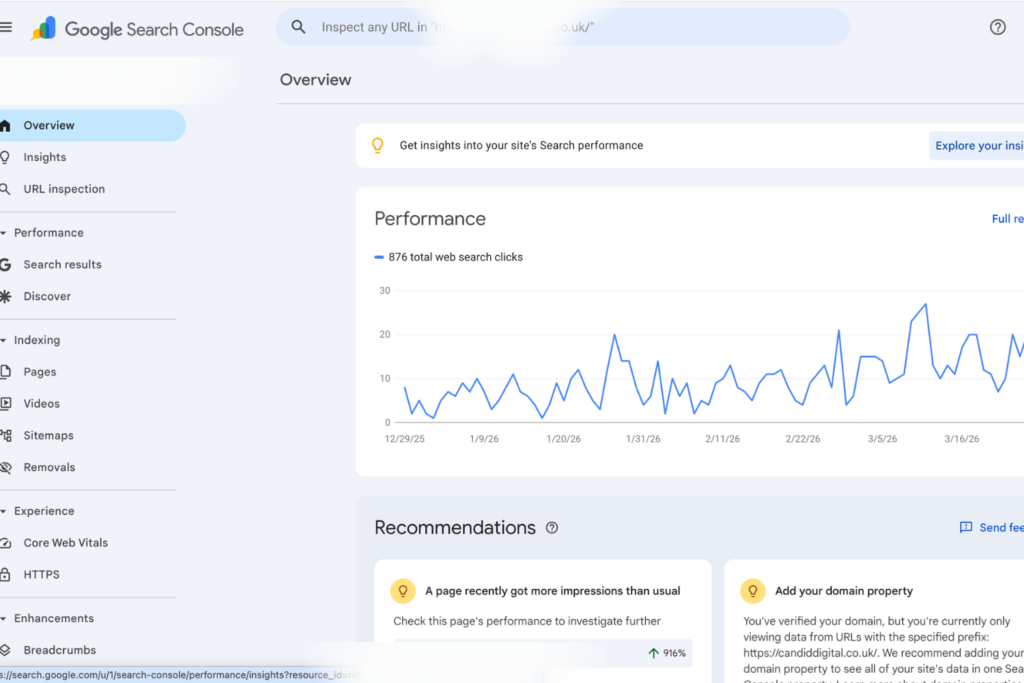
2. Use Google Search Console (Best Free Option)
If you want accurate data, Google Search Console is your go-to.
What it shows you:
Keywords your site is ranking for
Average position in Google
Clicks and impressions
Pages that are performing best
How to find your rankings:
Log into Google Search Console
Go to Performance → Search Results
Scroll down to see your queries
Check the “Average Position” column
This is powerful because you’re not guessing, you’re seeing real data from Google itself.
You’ll also often discover:
Keywords you didn’t know you ranked for
Opportunities to improve existing pages
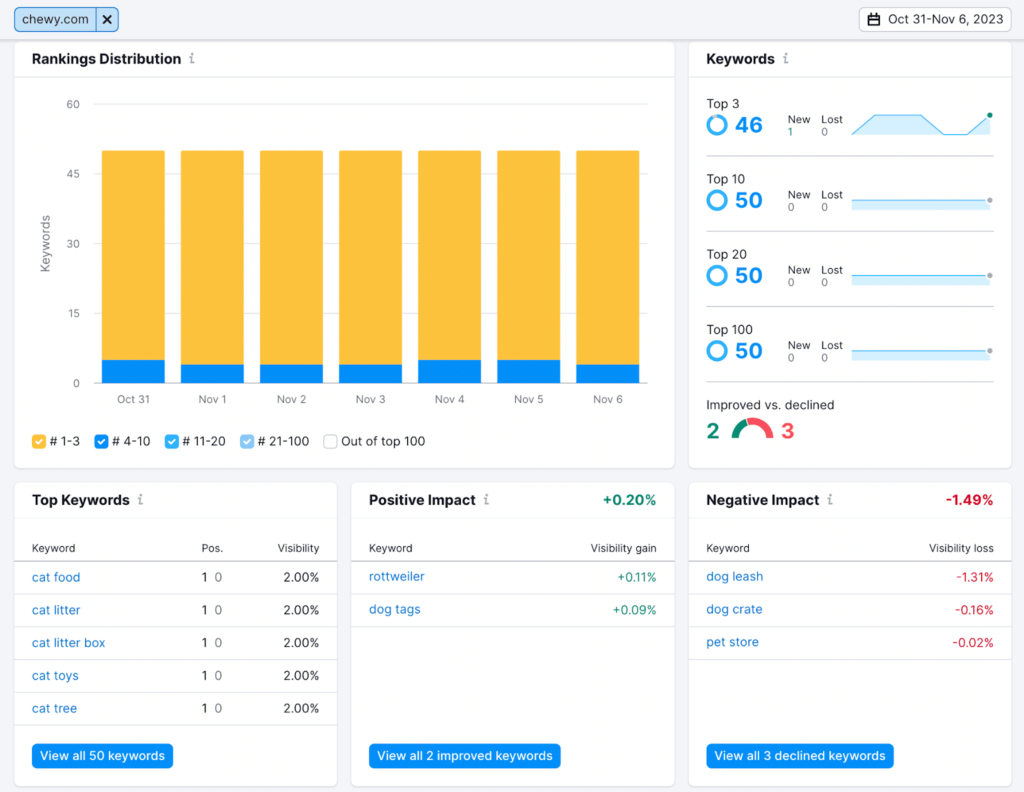
3. Use SEO Tools for Deeper Insights
For a more complete picture, use tools like:
Ahrefs
SEMrush
Ubersuggest
These tools allow you to:
Track rankings over time
Monitor competitors
See keyword difficulty
Identify growth opportunities
Example use case:
Instead of just seeing where you rank, you can see:
If you’re moving up or down
What competitors are doing better
Which pages are driving results
This is where ranking data becomes strategic, not just informational.
4. Track Rankings Automatically
If you’re serious about SEO, you shouldn’t be checking rankings manually every week.
Use rank tracking tools to:
Monitor keyword positions daily or weekly
Track multiple keywords at once
Get alerts when rankings change
This helps you:
Spot issues early
Measure the impact of SEO work
Stay consistent
5. What You Should Be Tracking (Not Just Rankings)
Here’s where most people get it wrong.
They focus on:
“Am I ranking #1?”
Instead, you should be asking:
Is this keyword driving traffic?
Is that traffic converting?
Is it contributing to revenue?
Because ranking #3 for a high-intent keyword > ranking #1 for a useless one
Common Mistakes to Avoid
❌ Checking your own brand name only
This tells you very little about your SEO performance.
❌ Relying on one keyword
SEO is about multiple keywords and topics, not just one term.
❌ Ignoring location
Your rankings can differ massively depending on where you are.